Since support for TLS1.1 will end, detect TLS1.1 communication by packet capture using tshark.
Key Points are the following options:
-Y "tcp.payload[x:x]"Display filter by TCP payload-MMemory exhaustion countermeasure-w - | tshark -r -Disk exhaustion countermeasure (Display filters cannot use-bor-w)
- Operational confirmation version
- Reference
- Continuous Capture Command
- tshark Command Options
- Capture Filter (-f) and Display Filter (-Y)
- Option Explanation
- -f Capture Filter for IP Only
- -M 100000 (<auto session reset>) Memory Exhaustion Prevention
- -l Standard Output Buffer Off
- -w - | tshark -r - Temp File DISK Exhaustion Prevention
- 2>>"%USERPROFILE%\Downloads\stderr.log" Redirect STDERR
- -Y "tcp.payload[1:2] == 03:02 && tcp.payload[9:2] == 03:02" Filter by TCP Payload
- (Optional Output Format) -o gui.column.format:"Packet,%m,Time,%Yt,Source,%us,SrcPort,%uS,Destination,%ud,DstPort,%uD,Info,%i"
- >> "%USERPROFILE%\Downloads\tls1.1.log" STDOUT
- Conclusion - Capture TLS1.1 communication with tshark display filter (tcp.payload)
Operational confirmation version
The display may change depending on the version and settings, so adjustments may be necessary.
TShark (Wireshark) 3.6.13 (v3.6.13-0-g9aa9aca9c1c1)
Detailed version(click to expand)
C:\Users\Administrator>"C:\Program Files\Wireshark\tshark.exe" --version
TShark (Wireshark) 3.6.13 (v3.6.13-0-g9aa9aca9c1c1)

Copyright 1998-2023 Gerald Combs <gerald@wireshark.org> and contributors.
License GPLv2+: GNU GPL version 2 or later <https://www.gnu.org/licenses/gpl-2.0.html>
This is free software; see the source for copying conditions. There is NO
warranty; not even for MERCHANTABILITY or FITNESS FOR A PARTICULAR PURPOSE.

Compiled (64-bit) using Microsoft Visual Studio 2019 (VC++ 14.32, build 31332),
with libpcap, with GLib 2.66.4, with zlib 1.2.11, with Lua 5.2.4, with GnuTLS
3.6.3 and PKCS #11 support, with Gcrypt 1.8.3, with MIT Kerberos, with MaxMind
DB resolver, with nghttp2 1.44.0, with brotli, with LZ4, with Zstandard, with
Snappy, with libxml2 2.9.10, with libsmi 0.4.8.

Running on 64-bit Windows Server 2016 (1607), build 14393, with Intel(R) Xeon(R)
Silver 4112 CPU @ 2.60GHz (with SSE4.2), with 32425 MB of physical memory, with
GLib 2.66.4, with Npcap version 1.60, based on libpcap version 1.10.2-PRE-GIT,
with c-ares 1.17.0, with GnuTLS 3.6.3, with Gcrypt 1.8.3, with nghttp2 1.44.0,
with brotli 1.0.9, with LZ4 1.9.3, with Zstandard 1.4.0, with LC_TYPE=C, binary
plugins supported (0 loaded).
Reference
Thank you for using this as a reference.
Continuous Capture Command
"C:\Program Files\Wireshark\tshark" -i "1" -f "host 3.113.127.38" -M 100000 -l -w - 2>>"%USERPROFILE%\Downloads\stderr.log" | "C:\Program Files\Wireshark\tshark" -r - -Y "tcp.payload[1:2] == 03:02 && tcp.payload[9:2] == 03:02" -o gui.column.format:"Packet,%m,Time,%Yt,Source,%us,SrcPort,%uS,Destination,%ud,DstPort,%uD,Info,%i" -M 1000000 -l >> "%USERPROFILE%\Downloads\tls1.1.log"
Output
 7947 2025-03-17 20:51:14.109253 x.x.x.x 51013 3.113.127.38 443 Client Hello
 7951 2025-03-17 20:51:14.109584 3.113.127.38 443 x.x.x.x 51013 Server Hello
tshark Command Options
The tshark manual page is as follows
Capture Filter (-f) and Display Filter (-Y)
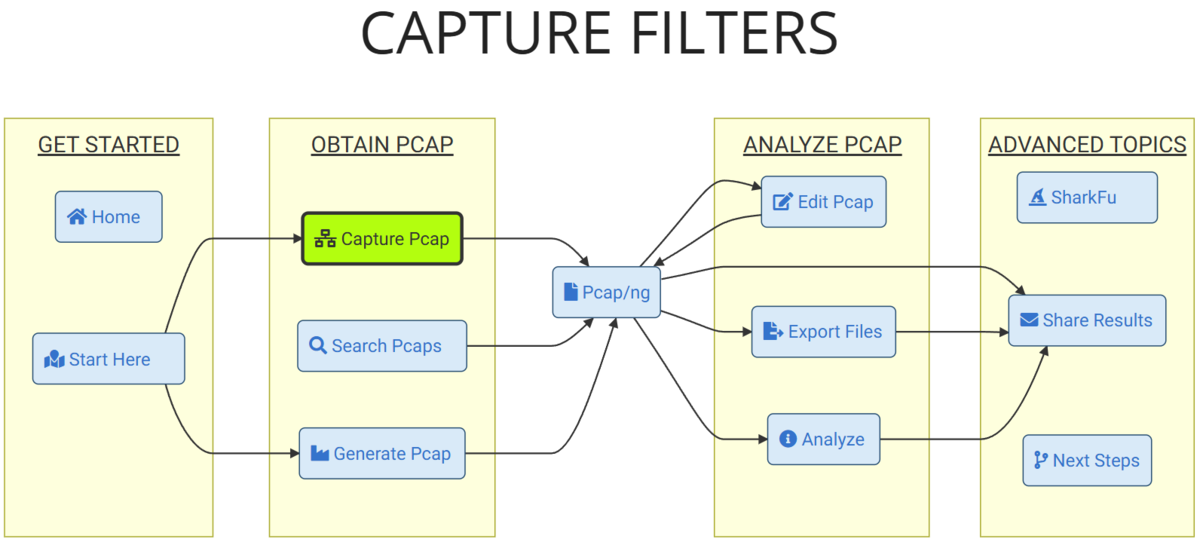
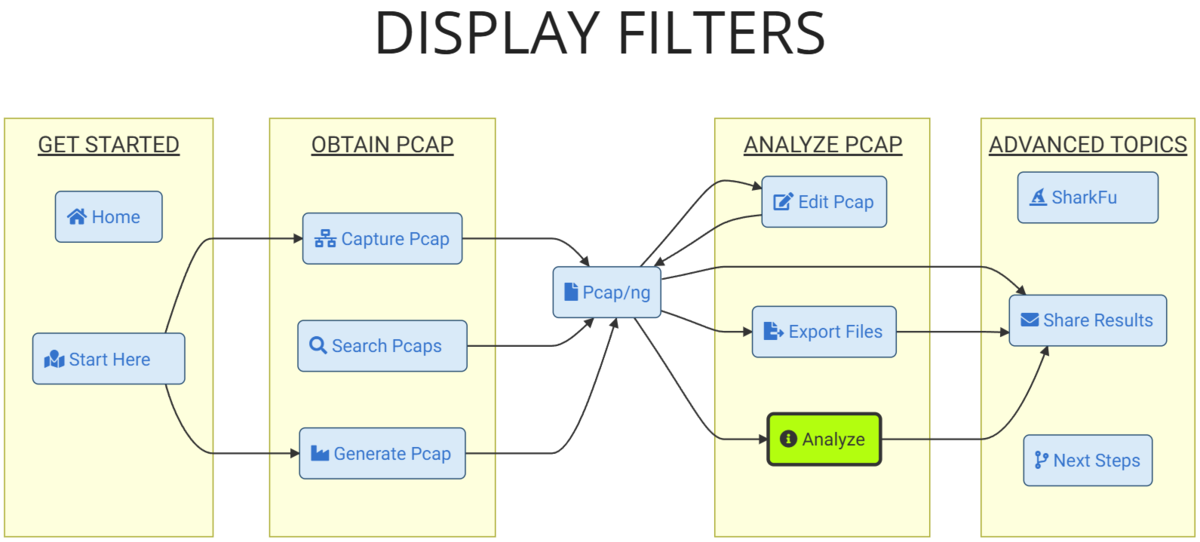
The timing of when capture filters and display filters are applied differs as follows. TLS version (TCP payload) cannot be handled by capture filters, so we narrow it down using display filters.
Option Explanation
Explains the purpose of each option setting.
"C:\Program Files\Wireshark\tshark" \
-i "1" \
-f "host 3.113.127.38" \
-M 100000 \
-l \
-w - \
2>>"%USERPROFILE%\Downloads\stderr.log" \
| \
"C:\Program Files\Wireshark\tshark" \
-r - \
-Y "tcp.payload[1:2] == 03:02 && tcp.payload[9:2] == 03:02" \
-o gui.column.format:"Packet,%m,Time,%Yt,Source,%us,SrcPort,%uS,Destination,%ud,DstPort,%uD,Info,%i" \
-M 1000000 \
-l \
>> "%USERPROFILE%\Downloads\tls1.1.log"
-f Capture Filter for IP Only
-M 100000 (<auto session reset>) Memory Exhaustion Prevention
If not specified, packets are retained for related analysis, which can lead to memory exhaustion. This resets memory every certain number of packets to free it up.
-l Standard Output Buffer Off
Turns off the buffer for standard output to allow real-time processing.
-w - | tshark -r - Temp File DISK Exhaustion Prevention
Instead of using a pipe,
tshark -i "1" -f "host 3.113.127.38" -Y "tcp.payload[1:2] == 03:02 && tcp.payload[9:2] == 03:02" -o gui.column.format:"..." -M 1000000 -l >> "%USERPROFILE%\Downloads\tls1.1.log"
tshark stopped with the following error. It was writing filtered packets to a temp file using the capture filter, leading to disk exhaustion.
 ** (tshark:3328) 21:44:09.073366 [Main MESSAGE] -- Capture started.
 ** (tshark:3328) 21:44:09.073797 [Main MESSAGE] -- File: "C:\Users\ADMINI~1\AppData\Local\Temp\2\wireshark_Embedded LOM 1 Port 26M9K32.pcapng"
8  ** (tshark:3328) 06:29:04.779256 [GLib ERROR] -- ../src/glib-2-b84205c786.clean/glib/gmem.c:112: failed to allocate 8388608 bytes
As a countermeasure, as explained below, we will use capture filter -> standard output -> standard input -> display filter to avoid creating temp files.
2>>"%USERPROFILE%\Downloads\stderr.log" Redirect STDERR
-Y "tcp.payload[1:2] == 03:02 && tcp.payload[9:2] == 03:02" Filter by TCP Payload
TLS data cannot be handled in display filters, so we could not create filters like
tls.record.version == 0x0302 && tls.handshake.version == 0x0302
Therefore, we treat it as plain TCP and filter by byte sequence using tcp.payload.
tls.record.version: tcp.payload[1:2] == 03:02
tls.handshake.version: tcp.payload[9:2] == 03:02
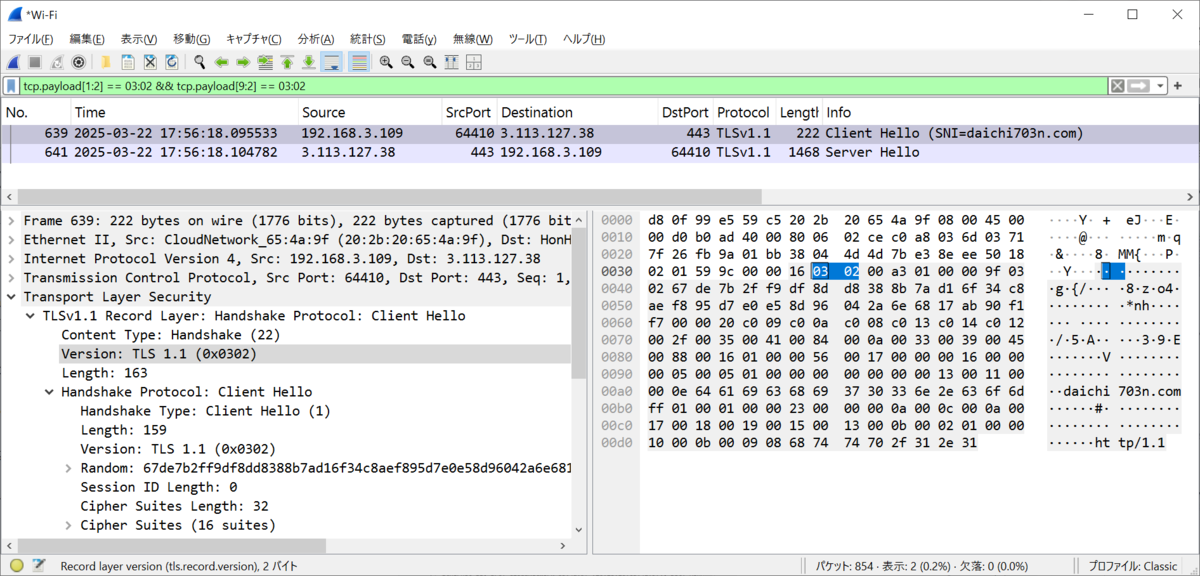
TCP Payload Byte Sequence
 0  1  2  3  4  5  6  7  8  9 10 11 12
------------------------------------------
16 03 02 00 a3 01 00 00 9f 03 02 67 de ...
(Optional Output Format) -o gui.column.format:"Packet,%m,Time,%Yt,Source,%us,SrcPort,%uS,Destination,%ud,DstPort,%uD,Info,%i"
Change the output format of the log file as desired.
The format can be checked with tshark -G column-formats.
>> "%USERPROFILE%\Downloads\tls1.1.log" STDOUT
The result is output as follows
 7947 2025-03-17 20:51:14.109253 x.x.x.x 51013 3.113.127.38 443 Client Hello
 7951 2025-03-17 20:51:14.109584 3.113.127.38 443 x.x.x.x 51013 Server Hello
Conclusion - Capture TLS1.1 communication with tshark display filter (tcp.payload)
With the tshark options -M, -l, -w - | tshark -r -, -Y "tcp.payload[1:2] == 03:02 && tcp.payload[9:2] == 03:02", we have been able to continuously capture TLS 1.1 communication while addressing memory and disk exhaustion.
"C:\Program Files\Wireshark\tshark" -i "1" -f "host 3.113.127.38" -M 100000 -l -w - 2>>"%USERPROFILE%\Downloads\stderr.log" | "C:\Program Files\Wireshark\tshark" -r - -Y "tcp.payload[1:2] == 03:02 && tcp.payload[9:2] == 03:02" -o gui.column.format:"Packet,%m,Time,%Yt,Source,%us,SrcPort,%uS,Destination,%ud,DstPort,%uD,Info,%i" -M 1000000 -l >> "%USERPROFILE%\Downloads\tls1.1.log"
